
Quoting a job should take minutes, not an evening.
Most estimates live in a spreadsheet somebody copied from the last one — with last year's prices still in it.
Work Estimates keeps your rates in one place, builds each work order out of those rates, and follows it from new to paid.
Materials. Work. Customers. Crew. One priced work order.
Everything wired together on day one
Nothing to model, nothing to connect. Open it and start quoting.
Work library
The services you sell, each with a rate, a unit and the crew hours it takes.
Materials library
What you buy, with unit price, supplier and a barcode you can scan to find it.
Customers
Name, contact, validated address, and the email an estimate is sent to.
Employees
Who estimates and who does the work, with an internal hourly cost.
Work orders
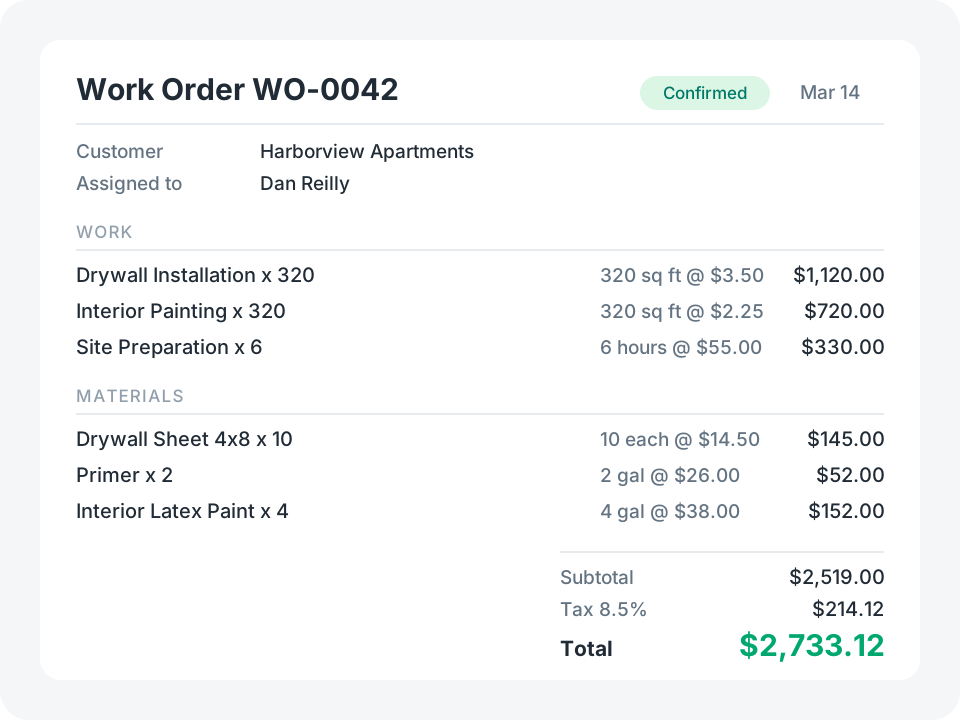
Numbered gap-free by the server, priced from its lines, tracked through four statuses.
Estimate PDF
A printable estimate with every line, the totals, and the customer signature.
See It in Action
Start with the template, then reshape it in plain English — add a markup, a second tax rate, a rejected status. No coding required.
Try for FreePrice it once, reuse it on every job
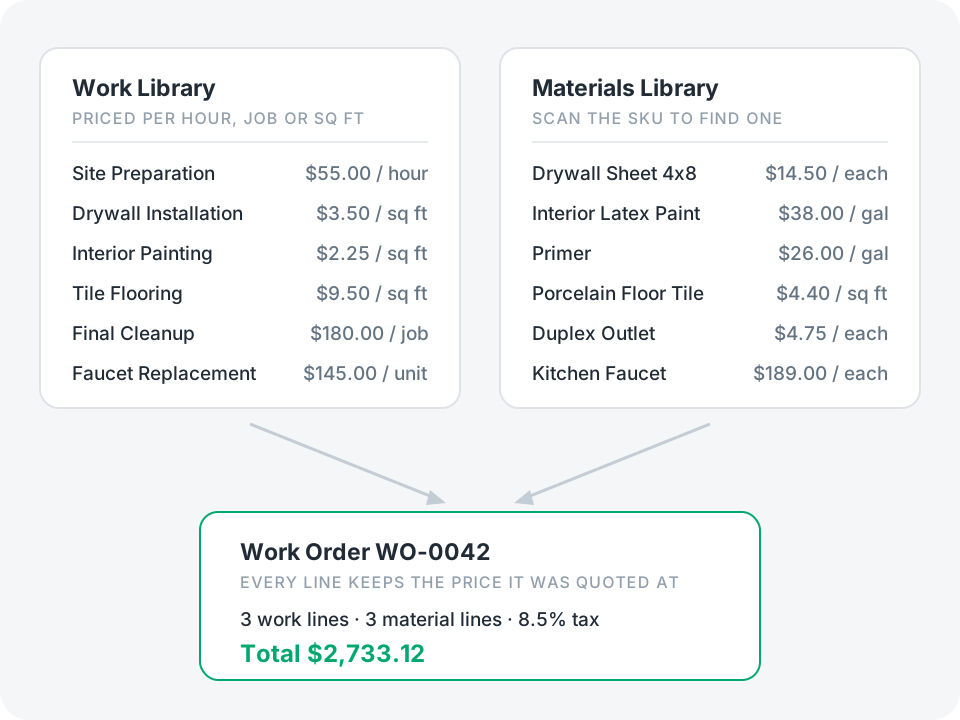
The app opens with two catalogs: the work you sell and the materials you buy.
- Each work carries a rate, a unit (hour, job, sq ft) and the crew hours one unit takes
- Each material carries a unit price, a supplier and a scannable SKU
- Adding a line to a work order is picking from the list and typing a quantity
Result: the person writing the estimate never has to remember a price.
Where the template stops
It is a starting point, not a finished estimating system. These are the edges you are most likely to hit — each one is a change you can ask the assistant for.
An order totals its lines when the order itself is saved. Change a line quantity and save the order again to see the new total.
The line picker lists every line in the app, not just this order’s — so name lines clearly, or add a filter of your own.
Deleting an order leaves its line records behind. They are harmless, but nothing lists them.
Line rates are copied from the library, so bulk-repricing an open estimate means reopening its lines.
Tax is one flat percentage per order — multi-jurisdiction tax needs a rule of your own.
Employee hourly cost is stored but not subtracted from the total, so margin is a field you add.
It estimates and invoices in one record; if you need estimate and invoice kept apart, split the table.